


Most teams I work with have a backup dashboard, and most days it is green. The job ran; it finished; nothing failed. That green tick feels like safety, and it is the reason nobody thinks about backups again until the day they need one. Then something breaks, someone asks how long it will take to get the database back, and the room goes quiet. Nobody knows. The backups have been running for a year, and nobody has ever brought one back.
I am writing this because that gap, the space between having backups and being able to recover, is the most common serious problem I find in production PostgreSQL, and hardly anyone is measuring it.
A Monday that goes badly
Here is the shape of it. I have put this timeline together from the kind of incident customers keep running into, so treat it as a pattern rather than one company’s story.
- At 09:38, a new feature is rolled out. One statement drops a column that still holds live data.
- At 09:44, support tickets start coming in because customer records look incomplete.
- At 10:05, after trying a few smaller fixes, the team decides to restore to just before 09:38.
The backups have been green for fourteen months, so everyone is fairly relaxed.
- At 10:20, they find out there is no restore host. Nobody had ever needed one. Someone starts building it.
- At 13:50, the restore finishes and recovery stops earlier than it should, because a WAL segment from months ago is missing from the archive.
- At 16:30, they give up on the exact point in time, recover to a copy that is six days old, and spend the next two days putting the difference back by hand.
The business had expected this to take about an hour, with no visible data loss. Instead, the restore took more than two days, and data loss was certain.
What a green backup actually tells you
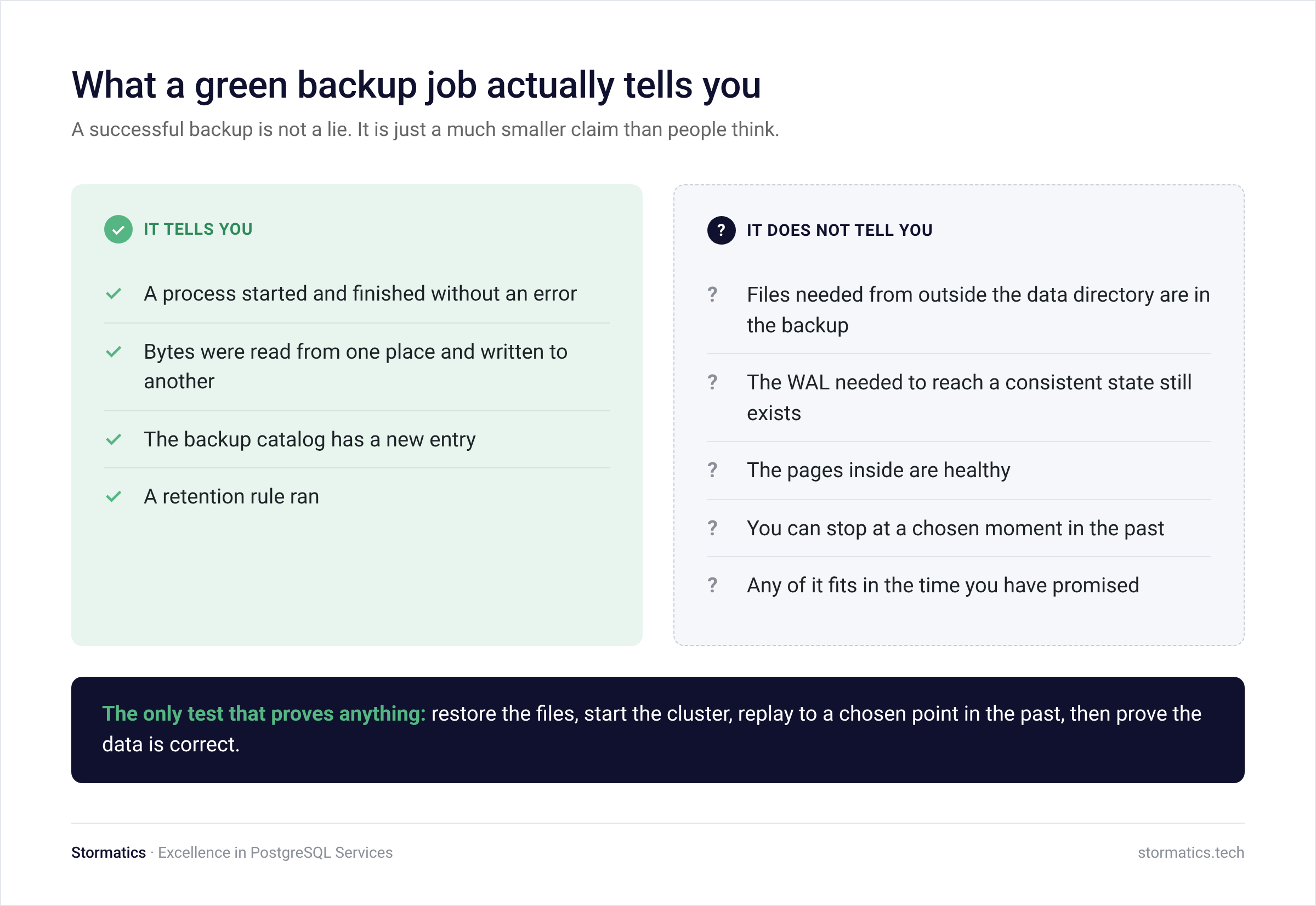
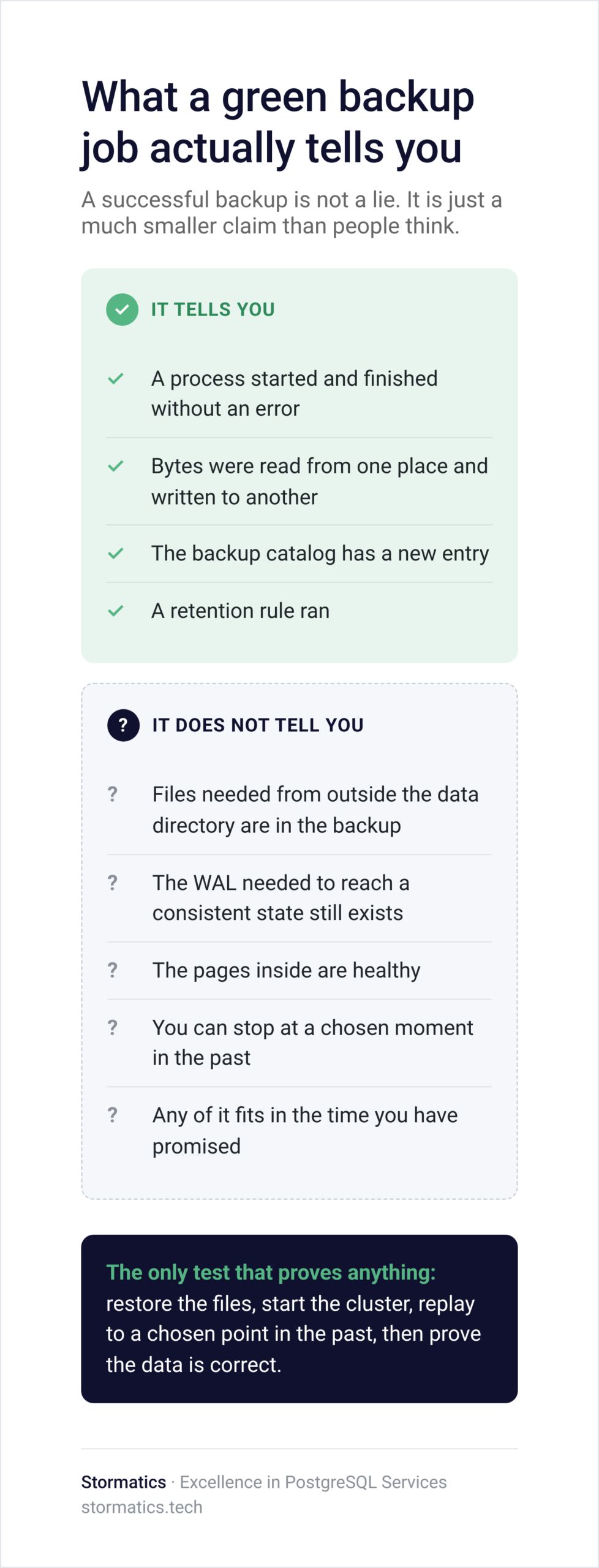
A successful backup job is not a lie. It is just a much smaller claim than people think.
It tells you a process started and finished without an error. It tells you bytes were read from one place and written to another. It tells you the backup catalog has a new entry, and that a retention rule ran. All useful. None of it is about recovery.
Here is what it does not tell you. It does not tell you whether all the files outside the data directory that a restore needs are actually in the backup. It does not tell you the WAL needed to bring that backup to a consistent state still exists. It does not tell you the pages inside are healthy. It does not tell you that you can stop at a chosen moment in the past. And it says nothing at all about whether any of this fits in the time you have promised somebody.
Analogy: The fire extinguisher on the wall
There is probably a fire extinguisher near you. The pressure gauge is green. It has an inspection tag signed every month for years. Nobody has ever pulled the pin.
The gauge measures pressure. It cannot tell you whether the nozzle is blocked, whether the powder has gone solid, or whether the person nearest the fire knows how to use it. Your backup dashboard is that gauge. A restore test is pulling the pin.
A backup is only useful if you know you can actually restore it when you need it.
Ways a green backup fails when you need it
These are the ones customers hit most often.
- The WAL chain is broken. Archiving quietly failed for a week. The base backup is perfectly fine. The path from it to the present is not.
- Corruption was copied faithfully. A damaged page has been in every backup for months, and your backup tool did its job correctly every time by copying it.
- Retention does not line up. The WAL expired before the backup it belongs to, or a full backup expired while its increments are still sitting there.
- The surroundings are missing. Roles, configuration files, extensions, tablespaces, certificates. None of that lives in the data directory.
- The key is gone. The backup repository is encrypted, and the only copy of the key lives in a system that is also part of the outage.
- There is nowhere to restore to. No machine with the disk, memory, and network to take two terabytes at short notice.
- There is nobody who can. The engineer who built it has left, and the runbook is a wiki page on a server that is down.
The corruption that gets backed up perfectly
Picture a cluster that was created years ago with data checksums turned off, and has since moved across two generations of storage. One day a report that only runs every few months starts failing. A single page has been damaged for a long time, and nothing noticed because the normal workload never reads that part of the table.
Now check the backups. Every one of them copied the damaged page correctly. The oldest backup still inside the retention window already contains it. There is no clean copy left to go back to.
This is why I push people to think about retention differently. Most people read thirty days of retention as thirty days of protection. Against corruption, it is the opposite. It is thirty days to notice, after which your last clean copy is gone, and the damage is in every copy you hold.
The archive gap nobody was watching
This one is common enough that I look for it first in every assessment.
Archiving to object storage is set up and working. One day a credential gets rotated, and archiving starts failing.
It fails silently because a broken archive does not stop the database and does not stop the backup job.
PostgreSQL just keeps the segments and retries. The first thing anyone sees is disk pressure on pg_wal, and the natural reaction to disk pressure is to free space, which is the one action that turns a temporary problem into a permanent issue.
The alerting was watching the backup job. Archiving is a different mechanism with its own failure mode, and nothing was watching it. A week or two later, the dashboard is green again, and nobody knows there is a stretch of time you can no longer recover to.
Watch three things separately: the archive failure count, the age of the newest successfully archived segment, and the size of pg_wal.
There is only one test that proves anything
Restore the files. Start the cluster. Replay to a chosen point in the past. Then prove the data is correct. Everything else is a stand-in for that, and stand-ins drift.
Where to start
If you only do a few things after reading this, do these.
Check that your archive chain is monitored separately from your backup job. Confirm your retention window covers what you promised, for backups and WAL together. Write down everything you would need that is not in the data directory, and where it is kept. Then pick one database and restore it to a timestamp from last week, on a clean machine, with somebody else at the keyboard.
The goal is not to feel confident about your backups. It is to be able to show somebody why you are confident, and to know the date it was last true.